Sell subscriptions on EmDash.
Memberships, digital products, coupons and a member area for EmDash, the Astro based CMS from Cloudflare. Customers pay on Stripe Checkout, the money goes to your own Stripe account, and your site keeps track of who has access to what.
$ npm install milo-emdashSubscriptions
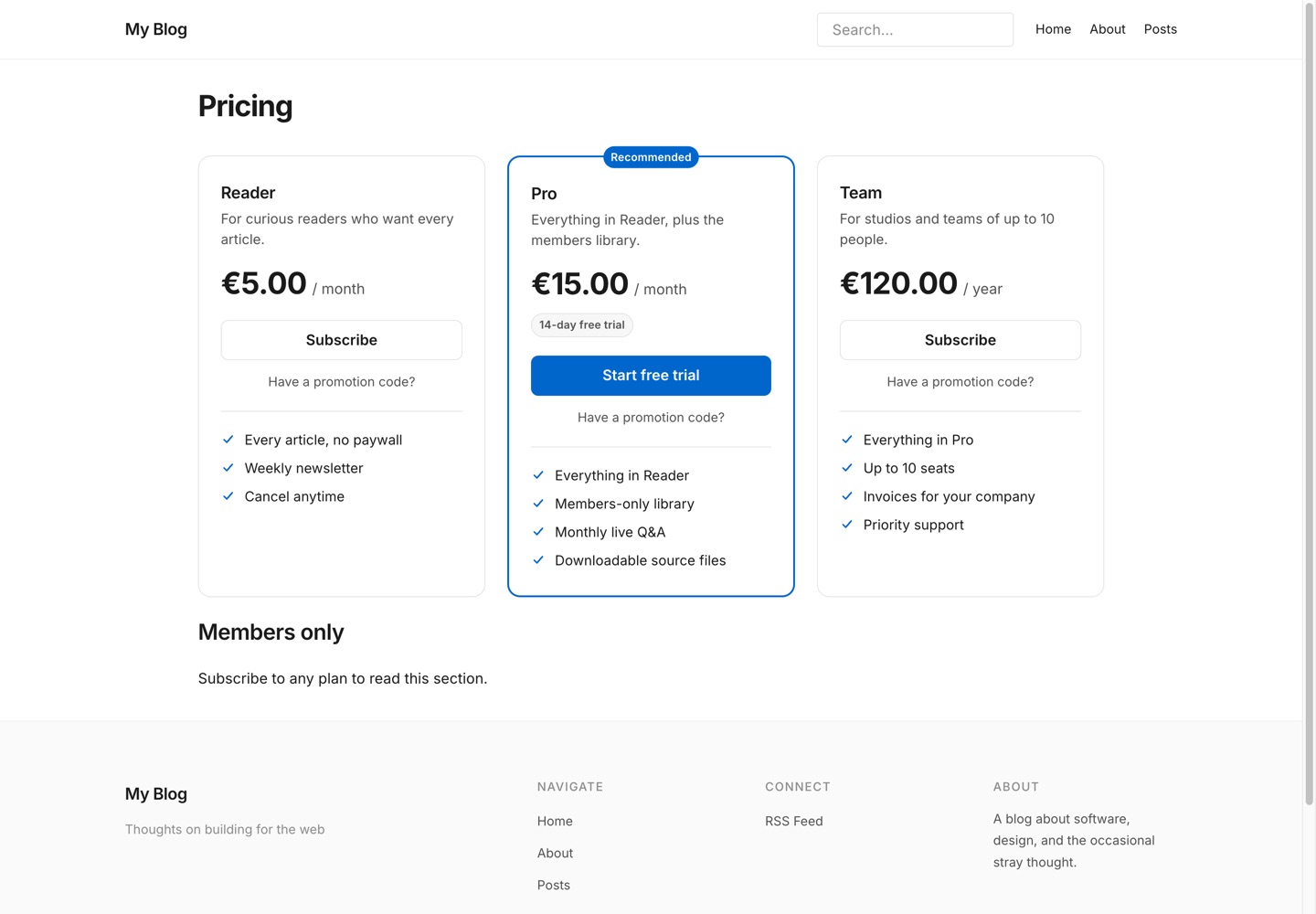
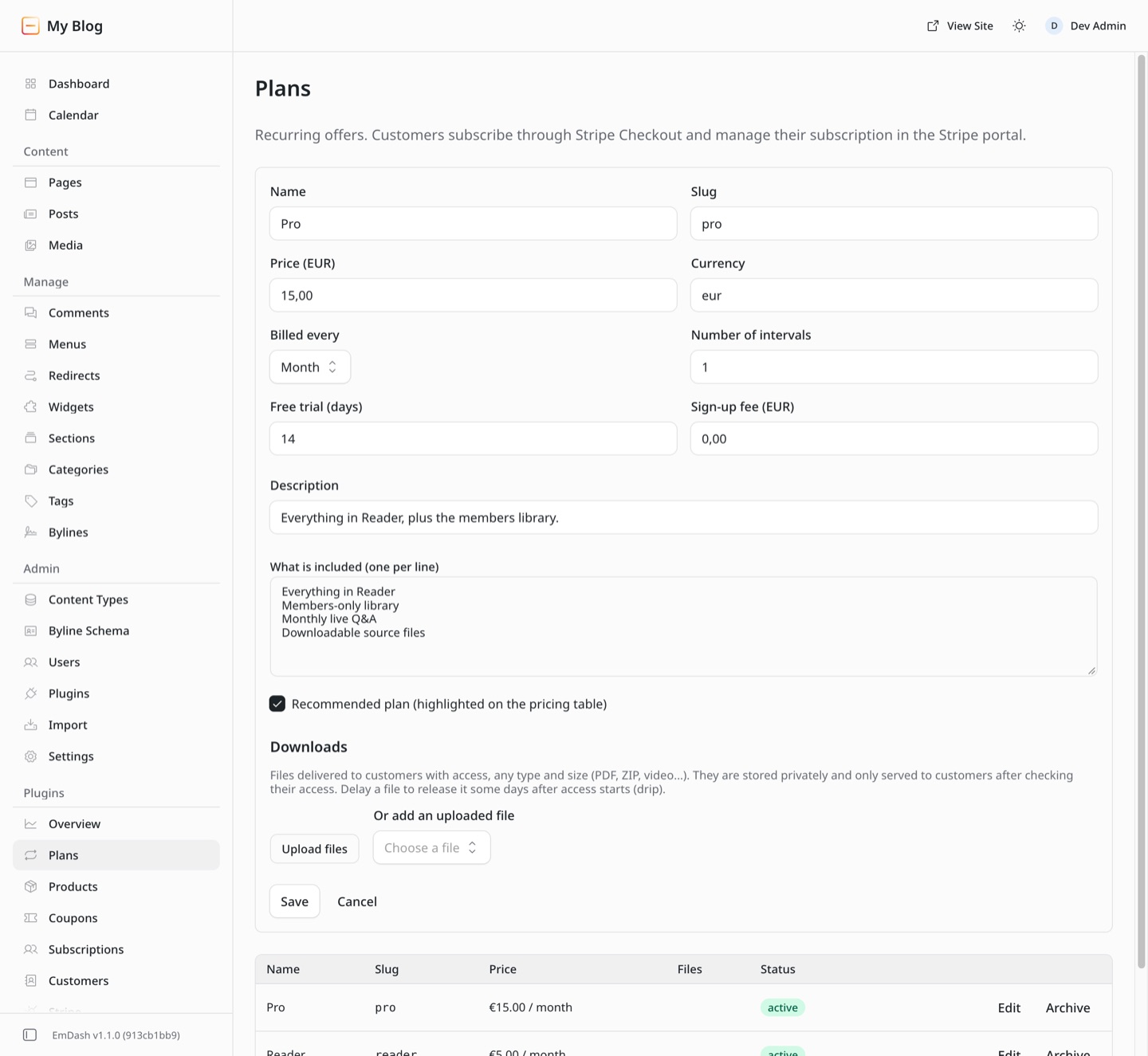
Monthly, yearly or any interval, with free trials and sign-up fees. Stripe Billing runs the renewals.
Digital products
One-off sales of ebooks, courses or templates, with sale prices that start and end on their own.
Coupons and taxes
Percentage or fixed coupons with limits and expiry dates. Prices with or without tax, and Stripe Tax when you need it.
A member area
Customers sign in with a link sent by email, no password. They see their plans, purchases and downloads.
Restricted content
Show a section, a page or a whole template to members only, by plan or by product.
Protected downloads
Files of any type and size, stored privately, served after an access check and released on a schedule.
Blocks and components
Pricing table, product grid and buttons, in the EmDash editor and as Astro components. They follow your theme, light and dark.
Four languages
English, French, German and Spanish, for the storefront, the emails and the admin screens.
01
Install the package
One npm install and two lines in astro.config.mjs. Milo adds its routes under /milo/.
02
Connect Stripe
One click from the EmDash admin. Payments land on your own Stripe account, in test mode first.
03
Create your offers
Plans, products and coupons in the admin, next to your pages and posts.
04
Place them
Type / in the editor and pick a Milo block, or drop a component in a template.
Stripe is the source of truth. Payments, renewals, cancellations and refunds reach your site as signed events, and a daily check repairs anything a missed event left behind.
The install
Milo is a native EmDash plugin, so it ships as an npm package rather than through the plugin registry. Register it with EmDash, add its integration, deploy, then click Connect with Stripe in the admin.
- EmDash 1.0 or later, server rendered. Tested on Node.js, Cloudflare Workers support is planned.
- A Stripe account. You connect it from the admin, no key to paste.
- EMDASH_ENCRYPTION_KEY set in the environment, so the Stripe credentials are stored encrypted.
- An email provider for EmDash, so customers receive their sign-in links. Stripe sends the receipts.
- The site served over HTTPS, so payment notifications can reach it.
import { defineConfig } from "astro/config";
import emdash from "emdash/astro";
import { miloSubscriptions } from "milo-emdash";
import milo from "milo-emdash/integration";

export default defineConfig({
  integrations: [
    emdash({
      // ...your database and storage
      plugins: [miloSubscriptions()],
    }),
    milo(),
  ],
});
Then add the Account component to an /account page, and the member area is in place.
What it costs
1%
on each payment, on top of Stripe’s own processing rate. The package is free, with unlimited plans, products and members.
The same model as Milo on WordPress, through the same Stripe connection. No licence key, no premium tier, nothing held back behind an upgrade.
How the Stripe connection worksBefore you install.
Something missing? Write to us from the contact page.
Is it the same Milo as the WordPress plugin?
Same team, same Stripe connection, same pricing. It is a separate package written for EmDash: it does not need WordPress or WooCommerce, and it stores everything in your EmDash database.
Why is it not in the EmDash plugin registry?
The registry only lists sandboxed plugins. Milo has to sign customers in with a cookie, send them to Stripe Checkout, stream protected files and render the member area inside your pages, which sandboxed plugins cannot do. So it is a native plugin, installed from npm like any other dependency.
Where does the money go?
Straight to your own Stripe account, through Stripe Connect. Your site never sees card details, and you can disconnect at any time from the admin.
Is the one percent the only fee?
Yes, on top of Stripe’s own processing fees. The package is free, there is no licence and no subscription to Milo itself.
Who sends the emails?
Stripe sends receipts and invoices. Milo sends the sign-in links and, if you want them, a notification for each new sale or cancellation, through the email provider set up in EmDash.